

A large photo archive can contain everything a new portfolio needs and still be a long way from ready for the website.
The files need suitable dimensions and formats. More importantly, each image needs to stay connected to the right project, sequence and description.
A recent architecture-portfolio build brought that distinction into focus. Preparing the imagery is one part of the build; selecting, organizing and checking it remains part of the content work. A successful conversion run does not establish that every project page is complete.
For an image-led migration, I would use a workflow that preserves the source material and makes each transformation traceable.
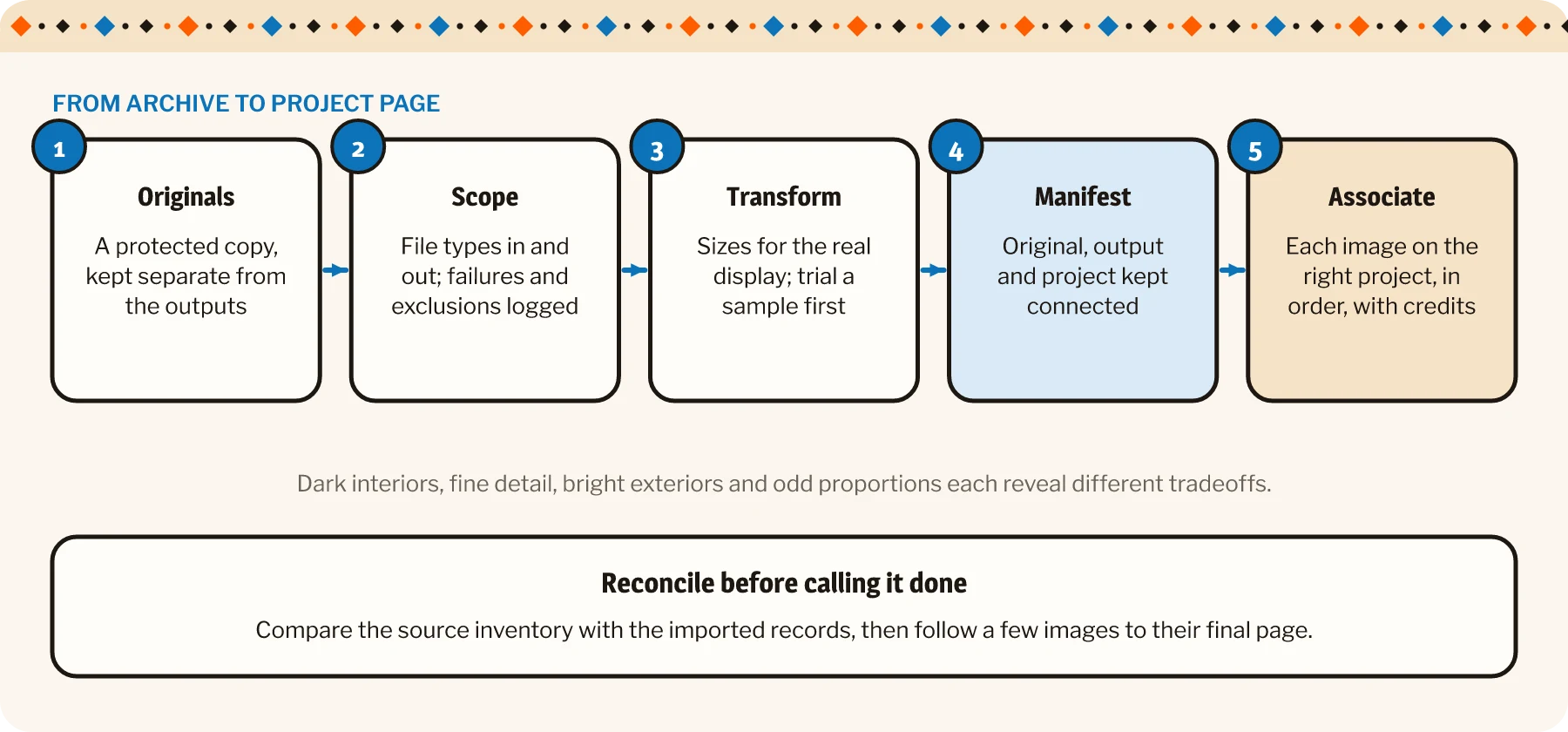
Keep the archive’s structure while preparing web assets
Start with a protected copy of the originals and a separate destination for the processed files. That gives the team a source to return to when a different crop or larger export is needed.
Identify what should enter the pipeline
Inspect the nested folders and establish which file types are in scope. A folder may contain photographs, multipage files, documents and material intended only for internal reference.
Define how each supported format should be handled. A TIFF may be an image source, while a PDF may belong in a separate document workflow. A multipage or animated file needs an explicit decision about which content is retained.
Record failures and exclusions. Quietly skipping an unreadable file makes the destination look tidier without making the migration more complete.
Choose transformations for the actual display
Set output dimensions around the intended image use, including gallery views and any larger inspection view. One size may not suit thumbnails, project imagery and a prominent hero.
Preserve proportions unless an intentional crop has been approved. Check orientation, color appearance and transparency where relevant. A smaller file is useful only if it still presents the work appropriately.
Image-led sites live or die on how the photography is handled. See the digital showroom we built for Cavastone.
Tools such as ImageMagick can support repeatable processing.2 The settings still need a representative trial: dark interiors, fine architectural detail, bright exteriors and images with different proportions may reveal different tradeoffs.
Review those samples before processing the full set. It is much easier to adjust a handful of images than to discover that an entire collection has acquired a slightly surprising tan.
Name the outputs without losing their identity
A descriptive filename can help people recognize an asset. It should also remain mapped to its original file and project.
An illustrative output name such as studio-courtyard-0001.webp can connect the project, subject and sequence. The sequence needs a defined meaning and must avoid collisions across folders.
Keep a manifest connecting original path, output path, project identity, transformation result and any issue requiring review. Preserve the folder relationships where they carry useful project context.
| Original | Output | Project | Status |
|---|---|---|---|
| /2019/courtyard/IMG_0412.tif | studio-courtyard-0001.webp | Courtyard house | Imported, needs alt text |
| /2019/courtyard/IMG_0413.tif | studio-courtyard-0002.webp | Courtyard house | Near-duplicate: review |
| /2019/courtyard/plans.pdf | Not processed | Courtyard house | Document workflow |
| /2020/loft/scan-03.tif | Failed | City loft | Unreadable: logged |
Make the content connection explicit
The website needs more than a collection of media-library entries. It needs to know which assets belong to which content records and how they should be presented.
Review duplicates and near-duplicates differently
A file hash can help identify identical files. Similar views, alternate crops and revised exports need a different review.
Two photographs of the same room may serve different purposes. One shows the space; another explains a detail. Automatically discarding the second because the room looks familiar would be a slightly overconfident editorial decision.
Keep uncertain candidates available for human review. The goal is a considered image selection, not the smallest possible folder.
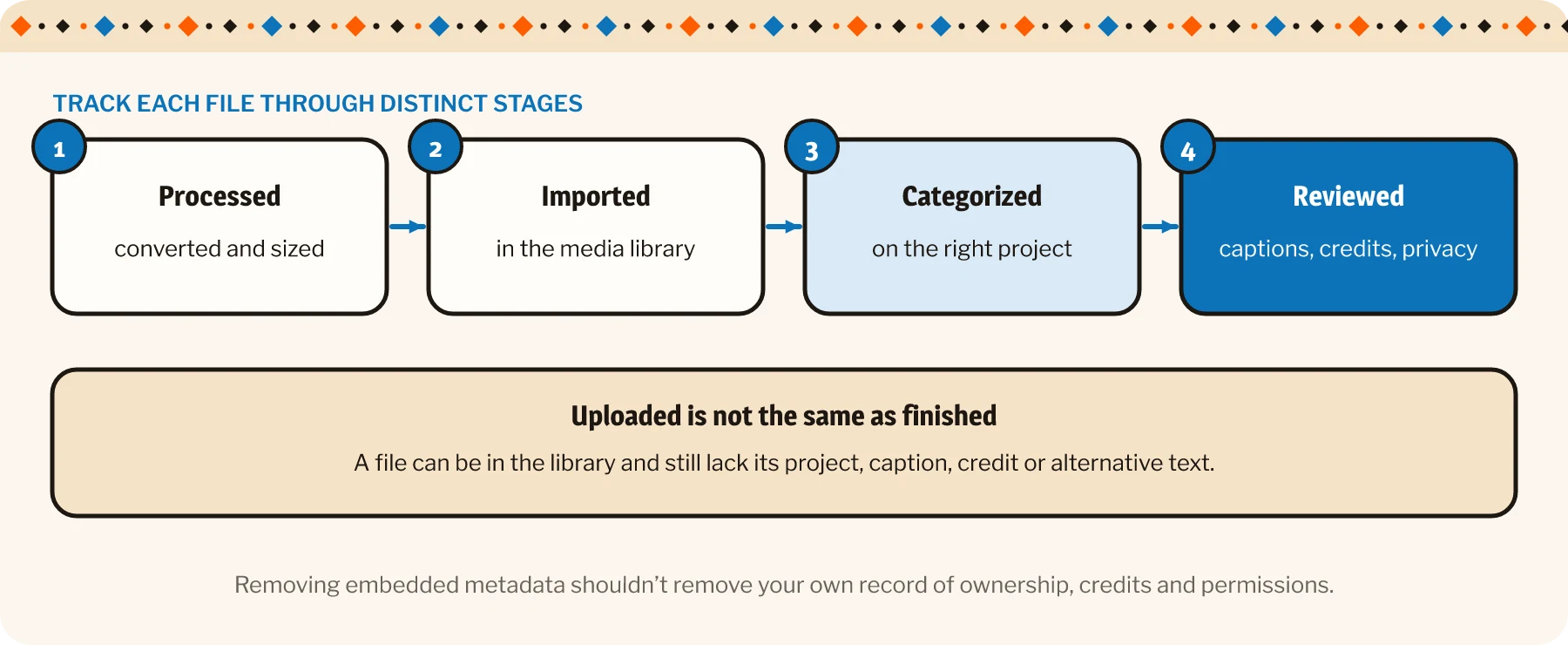
Preserve context, credits and appropriate privacy
Project titles, captions, alternative text and photographer credits need a clear place in the content model. Carry approved information forward and flag missing details instead of inventing them.
Review metadata and visible image content before publication. Location information, private documents or identifying details may need attention. Removing embedded metadata should not remove the team’s separate record of ownership, credits and usage permissions.
Then import or associate the assets with the relevant project records. Track which items have been processed, imported, categorized and reviewed as distinct stages. A file can be successfully uploaded while still lacking its correct project association.
For a portfolio build, those checks belong alongside the development work.
Before calling the migration complete, inspect representative project pages and reconcile the source inventory with the imported records. Follow a few assets from original folder to final display and check the sequence, crop, text and credits.
A useful migration leaves the team able to find the right photograph and explain where it belongs. The archive becomes maintainable content, with enough history to correct a mistake. That is considerably more valuable than a large green tick beside “files copied.”